AI Chatbot
19 Nov, 2026


Our Blog Details
Home / Our Blog Details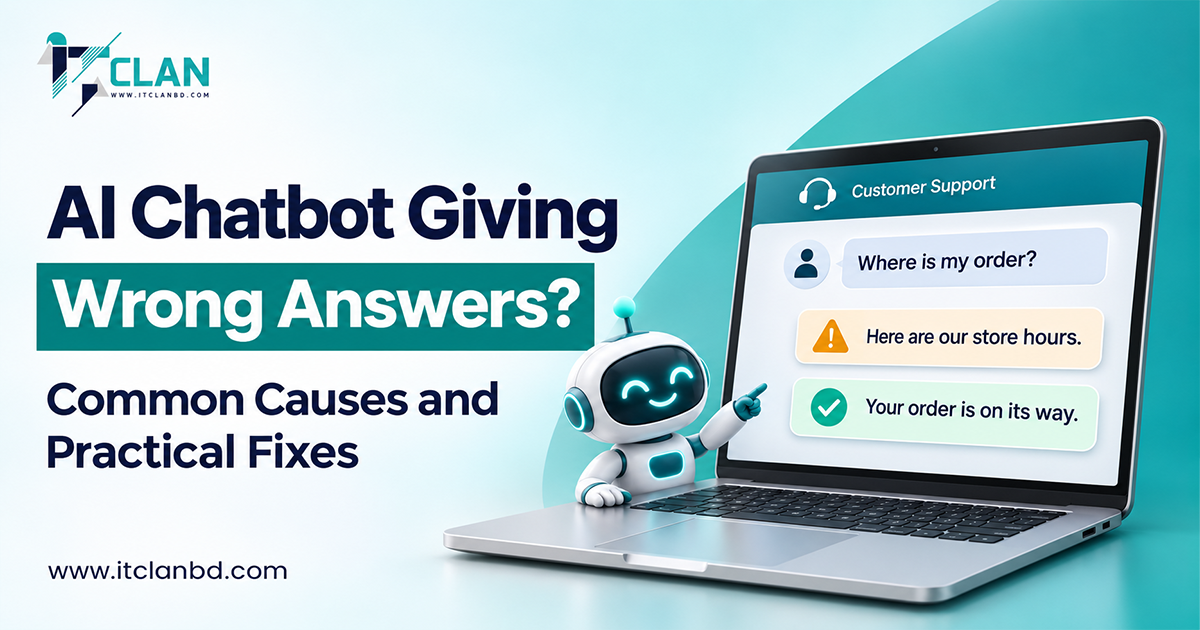
An AI chatbot can give wrong answers because its information is outdated, it pulls the wrong source, it misunderstands the question, or it fills in details it cannot verify. For order updates, bookings, and refunds, the error can also come from a connected system. Start with one failed conversation and check what information the chatbot received before it answered.
A bot that gives the wrong return deadline and a bot that falsely confirms a refund both need fixing. The return deadline comes from a policy. The refund confirmation depends on what actually happened in your payment system. Each needs a different check.
| What you see | Check first | Practical fix |
| It repeatedly quotes an old policy | The source and version used in that answer | Update the approved policy, remove obsolete copies from the bot’s sources, and verify the sync |
| It answers well for one product or region but fails on another | Whether search returned the applicable policy | Filter by product, region, or plan where your platform supports it |
| It cites the right article but adds a false detail | Whether the retrieved passage supports every key claim | Give the model narrower instructions and use fixed replies for terms that must be exact |
| It answers the first question correctly but misses a follow-up | What earlier messages and product details reached the model | Preserve relevant context and ask when the reference is unclear |
| It gives a wrong order status or confirms an action that failed | The integration request, returned data, and final record | Use the authoritative record and confirm actions only after verified success |
| It guesses when information is missing | The rules for clarifying, declining, or handing off | Provide a specific next step and test that it works |
Suppose your returns page now says 14 days, but an old FAQ still says 30 days. The bot may accurately repeat the old FAQ and still give the customer the wrong answer.
Fix it: Assign one approved source and an owner for each important policy. Remove obsolete copies from the bot’s searchable sources, sync the update, then check which version the bot actually used. If the policy differs by market or product, state those exceptions in the source. Intercom’s answer debugger illustrates how support teams can inspect sources associated with a reply and update outdated or missing content.
Some chatbots use retrieval-augmented generation (RAG). They search approved content and pass relevant passages to the model before it writes a reply. The right answer can exist in your help centre while the chatbot searches the wrong collection, selects a similar policy, or receives a passage with an exception cut off. Microsoft’s guidance treats retrieval quality and how well the final answer follows its sources as separate checks.
Fix it: Inspect the exact passage returned for the failed question. Check whether the rule and its exceptions appear together. Add clear titles and use filters for region, product, language, or plan if available. Retest the customer’s original wording and a few natural variations.
A chatbot may retrieve a policy that says “Refunds are reviewed after inspection” and reply “Your refund will arrive within three business days.” The policy never gave that timeline. This is an example of a hallucination: the model produces an unsupported claim.
Fix it: Tell the chatbot which sources it can use, what it can promise, and what to do when a fact is missing. For exact figures such as fees or return windows, consider pulling a verified value from a structured field or using an approved reply. A prompt can guide the wording. Your application can enforce which values or action statuses are available to show.
A shopper asks about returning a sale item, then follows up with “What if I already opened it?” If the bot loses the product context, it may quote the general return policy and miss the exception.
Fix it: Keep the relevant details available across turns, and ask one specific question when a missing detail would change the answer. Test follow-ups as full conversations. If your customers switch languages or use local product names, include examples of that wording in your tests.
A help article can explain how to track an order. The status of a specific parcel comes from an authorized order or carrier lookup. A timeout, incorrect order reference, stale value, or misread status field can lead to a false update. Zendesk’s troubleshooting guidance shows how integration and API failures can surface in chatbot error logs
Fix it: Follow the lookup from the customer’s verified order reference to the data returned and the text shown. Keep request received, processing, and completed distinct. If the service times out, explain that the current status couldn’t be verified and offer the next support step. When the chatbot handles both questions and actions, the design choices differ. See our guide to integrating AI into custom software.
Some questions need a detail the customer hasn’t supplied. Others involve a policy exception or a decision only the support team can make. A vague fallback can leave the visitor stuck in the same conversation.
Fix it: Define when the bot should ask a clarifying question, offer a staffed support route, or create a follow-up ticket. Test whether the ticket reaches the correct team with the relevant context, and tell the customer what happens next.
| Test case | What a passing result looks like |
| Standard return question | Gives the current deadline and links to the applicable policy |
| Follow-up about an opened sale item | Uses the sale-item exception or asks for a missing detail |
| Customer asks for a delivery date the carrier hasn’t supplied | Shares the last available status and makes clear that the date is unconfirmed |
| Refund request is submitted but stays pending | Says the request is pending and makes no payment confirmation |
Track correct answers among reviewed in-scope questions, unsupported claims, and successful handoffs among cases that required a person. Review results by topic so strong performance on easy FAQs doesn’t hide failures on returns or billing. Keep representative test cases and rerun them after changes to content, prompts, models, or integrations.
Bring a few failed conversations, the answers customers should have received, and the systems your chatbot uses. ITclan BD can review how it finds information, handles live lookups, and hands off unresolved requests.
It can help when the system already retrieves the correct evidence and the model repeatedly misreads it. If the source is stale, the relevant passage is missing, or the order lookup fails, fix that first. Compare models on the same failed cases before switching.
If your chatbot retrieves policies from a knowledge base, update the approved source and verify that the chatbot retrieves the new version. A policy change generally calls for a content update and a test, rather than training a model again.
Yes. The cited page may be out of date, apply to a different customer, or fail to support a claim in the reply. Check the specific passage against the answer and the customer’s situation.
Quality Is Our Strength

To add AI features to existing software, choose one measurable user task, check the application’s integration options, connect the necessary data, and build a small working feature. Test ...
An AI chatbot can give wrong answers because its information is outdated, it pulls the wrong source, it misunderstands the question, or it fills in details it cannot verify. For order updat...

Choose a chatbot when people need a conversational way to get information or start a request. Choose workflow automation when the process follows defined triggers, rules and steps. Consider...