Digital Marketing
23 Sep, 2026


Our Blog Details
Home / Our Blog Details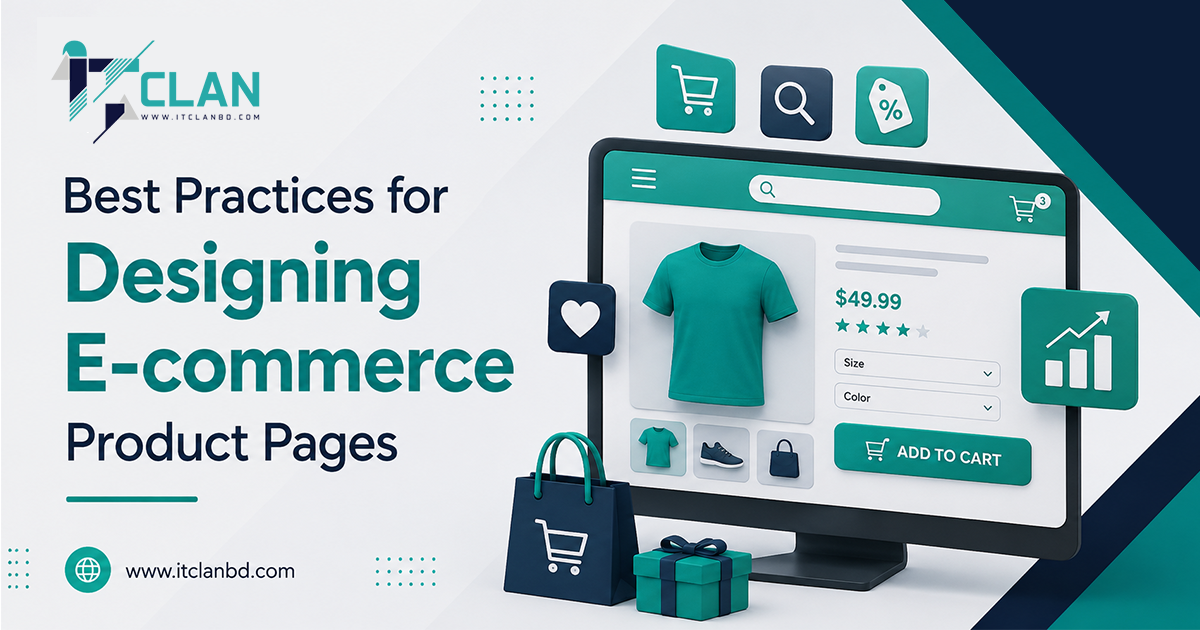
A good e-commerce product page should make it easy for shoppers to understand a product, trust your store, and take action. From clear product images and useful descriptions to fast loading and simple navigation, every small detail can affect whether a visitor clicks “Buy Now” or leaves.
Your product page is often the final step between browsing and buying. So, if you want better e-commerce conversion rates, you need to design this page with both your customers and your business goals in mind.
Now let’s jump into the best practices we need to know!
An e-commerce product page is the webpage where customers can view a product’s images, price, description, features, reviews, and purchasing options. It is often the final step before a customer decides whether to buy.
A well-designed product page builds trust, improves user experience, and increases conversions by giving shoppers the right information and making the buying process simple and clear.
When shopping online, customers cannot touch, try, or physically inspect a product. That makes product images one of the most important parts of an e-commerce product page.
Use clear, high-resolution images that show the product from different angles. If possible, include lifestyle images that show how the product looks when it is being used.
A strong product image section should include:
Avoid using blurry, stretched, or poorly lit images. Good visuals can make your store feel more professional and help shoppers feel confident about their purchase.
A product description should answer the questions customers are already thinking about. What is the product? What does it do? Who is it for? Why should they buy it?
Avoid simply copying the manufacturer’s description. Write original product content that explains the product in a natural and easy-to-understand way.
Your description should highlight:
Try to focus on benefits instead of features alone. For example, instead of saying “Made with waterproof material,” explain that the material helps keep the product protected during rainy weather.
This makes the product page more useful while also giving search engines more relevant content to understand.
Your product title is important for both shoppers and search engines. It should quickly tell visitors what they are looking at without becoming unnecessarily long.
Include the main product name and an important detail when relevant. For example, instead of writing “Blue Shirt,” you could use something more descriptive like “Men’s Cotton Oxford Shirt – Blue.”
Use relevant e-commerce SEO keywords naturally. Do not stuff the title with keywords just to rank higher.
A good product title should be:
You can also learn more about improving search visibility through this guide on how to boost SEO rankings and get more traffic.
Nobody likes playing detective just to find out how much something costs. Your product price should be easy to see as soon as someone reaches the page.
If there is a discount, show the original price alongside the sale price. You can also display the percentage or amount saved.
For example:
Regular Price: $80
Sale Price: $59
You Save: $21
If there are additional costs such as shipping, taxes, or customization fees, explain them clearly. Unexpected costs are a common reason shoppers abandon their carts.
Your call-to-action (CTA) tells customers what to do next. For e-commerce websites, common CTAs include “Add to Cart,” “Buy Now,” “Shop Now,” and “Get Yours.”
Your primary CTA should stand out without making the page look overwhelming.
Make sure the button:
For products with different sizes, colors, or versions, let customers select their preferred option before adding the item to the cart.
A smooth user journey is also important. For more ideas, check out this guide on creating a seamless user journey through effective UI/UX design.
A large number of online shoppers use smartphones. This means your e-commerce product page must work just as well on a small screen as it does on a desktop.
A mobile-friendly e-commerce website should have readable text, properly sized images, simple menus, and easy-to-use buttons.
Avoid forcing customers to zoom in or scroll sideways. Your product information, price, variations, reviews, and CTA should all be easy to access.
A mobile-first approach can make a major difference in user experience. You can explore how mobile-first design impacts user experience for more practical insights.
People are not very patient when shopping online. If a product page takes too long to load, visitors may simply leave and buy from another website.
Large product images, unnecessary scripts, poorly optimized code, and excessive plugins can slow down your store.
To improve e-commerce website speed:
Speed optimization is not only about performance. It also contributes to a smoother customer experience.
If you use WordPress, this step-by-step WordPress speed optimization guide can help you understand the basics.
Customers naturally want to know what other buyers think before spending their money. Reviews provide social proof and can reduce uncertainty.
Place ratings and reviews where shoppers can easily find them. If possible, allow customers to upload photos or videos with their reviews.
Useful review features include:
Do not hide negative reviews. A product page with only perfect reviews can sometimes look suspicious. Instead, focus on collecting genuine feedback and responding professionally to customer concerns.
Most shoppers do not read every word on a product page. They usually scan the page looking for the information they need.
That is why your product page layout should be clean and organized.
Use:
Put the most important information near the top. Customers should not have to scroll through five screens of text just to find the size chart or shipping information.
Good UI/UX design for e-commerce helps customers find answers faster. You can also read about why UI/UX design matters for e-commerce success.
Customers need to feel safe before entering payment details or personal information. Your product page should make important trust signals easy to find.
Show information about:
An SSL certificate is also essential for a secure website. You can learn more about why SSL certificates are essential for website security.
Clear policies show customers that your business has nothing to hide.
Once a customer is interested in one product, you have an opportunity to introduce related items.
For example, a customer looking at a camera may also be interested in a memory card, camera bag, or tripod.
You can add sections such as:
This can increase the average order value while helping customers discover useful products.
Just remember not to overload the page with recommendations. The main product should always remain the focus.
Images are useful, but sometimes customers need to see a product in action. A short product video can show size, movement, functionality, texture, or usage much better than a single image.
For example, a clothing store could show how a dress looks while moving. A technology store could demonstrate how a device works.
Keep product videos short, useful, and easy to access. Do not force visitors to watch a video before they can see basic product information.
A beautiful product page will not help much if nobody can find it. This is where e-commerce SEO becomes important.
Optimize important elements such as:
Use keywords based on what your customers actually search for. For example, if you sell running shoes, phrases such as “men’s running shoes” or “lightweight running shoes” may be more useful than simply repeating the word “shoes.”
You can learn the fundamentals through what SEO is and how it works and this step-by-step SEO guide for websites.
A customer should be able to move around your store without getting confused. Your product page should connect naturally with product categories, related products, and other useful pages.
Use breadcrumbs when appropriate. For example:
Home → Men’s Clothing → Shirts → Oxford Shirt
Simple navigation makes it easier for users to understand where they are and explore other products.
For stores serving specific geographic markets, local search visibility can also matter. This guide on the importance of local SEO for small businesses explains why local visibility can be valuable.
There is no such thing as a “perfect” product page on the first try. Customer behavior can tell you what is working and what needs improvement.
Track important metrics such as:
You can also run A/B tests. Try changing one element at a time, such as the CTA text, product images, page layout, or product description.
Data-driven decisions are usually better than simply guessing what customers want. Learn more about using data-driven digital marketing for better ROI.
Even a good-looking product page can lose sales because of small mistakes. The good news is that most of them are easy to fix.
Avoid:
Regular website maintenance can help you catch these issues before they affect too many customers. You can check out these essential website maintenance tips for more ideas.
A successful online store needs more than attractive product pages. It needs reliable e-commerce web development, UI/UX design, SEO, digital marketing, software development, and ongoing website maintenance working together.
ITclan BD provides digital solutions for businesses, including web development, e-commerce development, UI/UX design, SEO, digital marketing, software development, DevOps, QA, and website maintenance. The team can help businesses create websites that are not only visually appealing but also fast, responsive, secure, scalable, and designed around real customer needs.
If your current online store feels outdated, slow, difficult to use, or hard to manage, professional e-commerce website development can help turn it into a stronger sales channel.
Great e-commerce product pages are not about making everything flashy. They are about making shopping simple, clear, fast, and trustworthy.
Give customers the information they need, make your website easy to use, and remove the little things that make buying difficult. When design, SEO, performance, and customer experience work together, your product pages can turn more visitors into happy customers.
A good eCommerce product page uses clear images, useful descriptions, visible pricing, customer reviews, strong CTAs, simple navigation, mobile-friendly design, fast loading, and trustworthy payment and return information.
Product pages can improve e-commerce conversion rates by answering customer questions clearly, building trust with reviews, using strong CTAs, showing quality images, simplifying navigation, and reducing friction during the buying process.
SEO-friendly product pages should include relevant keywords, optimized product titles, unique descriptions, image alt text, clean URLs, meta descriptions, internal links, fast loading, mobile optimization, and appropriate structured data.
Mobile-friendly product page design helps smartphone shoppers view products, select variations, read information, and complete purchases easily without zooming, horizontal scrolling, or struggling with poorly positioned buttons.
Review product pages regularly and update prices, availability, images, descriptions, specifications, reviews, links, and promotional information whenever changes occur. Regular testing also helps identify conversion and usability problems.
Quality Is Our Strength
A good e-commerce product page should make it easy for shoppers to understand a product, trust your store, and take action. From clear product images and useful descriptions to fast loading...
Have you ever wondered why some businesses always seem to appear on Google while also getting plenty of likes, shares, and comments on social media? Here's the thing! They're not relying on...

Running a small business today is more competitive than ever. People search online first before visiting a store or hiring a service, and if your business isn’t visible in local search re...